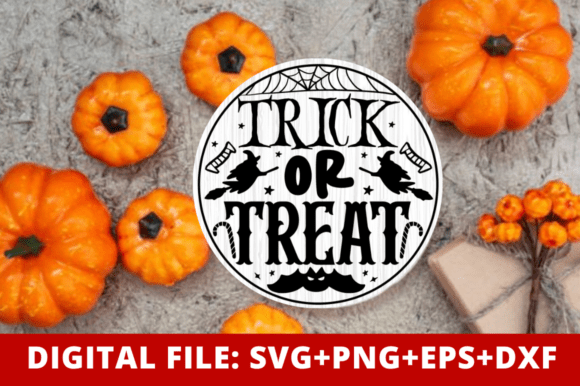
Mastering the Trick or Treat SVG Design for Flawless Halloween Crafts
Halloween is arguably the most creative holiday of the year, offering endless opportunities for DIY enthusiasts and small business owners to showcase their skills. At the heart of many successful seasonal projects lies a high-quality Trick or Treat SVG design. Whether you are crafting custom t-shirts for a family party, designing spooky tumblers for your Etsy shop, or creating festive wall decals for your home, the quality of your source file determines the quality of your final product. However, not all digital downloads are created equal. Many crafters rush into purchasing files without understanding the technical nuances that separate a professional-grade asset from a frustrating disappointment.
Understanding what makes a vector file truly versatile is the first step toward elevating your craft game. A professionally designed SVG offers clean, smooth cut lines that ensure your cutting machine—be it a Cricut, Silhouette, or ScanNCut—glides through material without snagging or tearing. This attention to detail is crucial when working with intricate typography or complex shapes often found in modern Halloween graphics. When you choose a design built with balanced composition and scalable vectors, you gain the freedom to resize your artwork for anything from a tiny sticker to a large banner without losing clarity or sharpness.
Common Pitfalls When Selecting Halloween Vector Files
One of the most frequent mistakes beginners make is overlooking file compatibility. It is easy to assume that any image labeled "SVG" will work seamlessly with every machine, but this is rarely the case. For instance, users with the basic edition of Silhouette Studio often find themselves unable to open standard SVG files, requiring a DXF format instead. Conversely, those using Cricut Design Space may struggle with overly complex EPS files if they are not properly optimized. Failing to check which formats are included in your download can lead to wasted time and money, forcing you to purchase conversion software or seek out alternative designs at the last minute.
Another critical oversight involves resolution and scalability. While SVGs are vector-based and infinitely scalable, many bundles include PNG files for sublimation or print-on-demand purposes. A common error is using a low-resolution PNG for large-format prints, resulting in pixelated, blurry images that look unprofessional. Always verify that the included PNG files are high-resolution, ideally 300 DPI with a transparent background. This ensures that whether you are printing on a mug or a tote bag, the edges remain crisp and the colors vibrant. Ignoring this detail can ruin otherwise excellent substrates and damage your reputation if you are selling finished goods.
The Importance of Clean Cut Lines and Node Optimization
Beyond file formats, the internal structure of the Trick or Treat SVG design plays a pivotal role in your workflow. Poorly constructed vectors often contain excessive nodes or overlapping paths that confuse cutting software. This can cause your machine to cut the same line multiple times, leading to ragged edges, material waste, and extended production times. For small business owners operating on tight deadlines, these inefficiencies add up quickly. A well-optimized design features simplified paths and unified shapes, allowing for faster weeding and cleaner application.
Consider the typography used in Halloween designs. Modern, stylish fonts are popular, but if the letters are not properly welded or spaced, small details like the dots on 'i's or the crosses on 't's may fall out during the weeding process. Experienced crafters know to check if the design has been pre-welded or if it requires manual adjustment in your software. Choosing a file that accounts for these structural integrity issues saves you from the frustration of repairing broken letters with transfer tape and patience.
Maximizing Versatility Across Different Projects
A single high-quality design should serve multiple purposes. The best Trick or Treat SVG files are adaptable enough to look great on various surfaces. When evaluating a design, think about how it will translate to different materials. Will the fine lines hold up on vinyl for a car decal? Will the bold elements look striking on a sublimated t-shirt? If a design is too intricate, it may not weed well for vinyl applications. If it is too simple, it might lack visual impact on larger items like tote bags or wall art.
- T-Shirts and Apparel: Ensure the design has appropriate spacing for heat transfer vinyl (HTV) to prevent bridging issues.
- Mugs and Tumblers: Check that the aspect ratio works for curved surfaces without distortion.
- Stickers and Decals: Verify that the cut lines are closed properly to avoid jagged edges on small prints.
- Scrapbooking and Cards: Look for layered elements that can be separated for multi-color paper crafts.
By selecting a file that includes multiple formats—SVG for cutting, PNG for printing, EPS for editing, and DXF for specific machines—you equip yourself to handle any project type. This versatility is particularly valuable for print-on-demand entrepreneurs who need to mock up products quickly across different platforms. Having a transparent background PNG allows for seamless integration into product photos, while the editable EPS file lets you tweak colors or elements to match specific brand aesthetics.
Practical Steps for a Smooth Crafting Experience
To avoid common frustrations, adopt a checklist approach before you begin your next project. First, confirm that the digital download includes all necessary file types. Second, inspect the SVG in your preferred design software before sending it to the cutter. Look for stray points or disconnected paths that might cause errors. Third, test cut a small section if you are using a new material or a complex design. This precautionary step can save an entire sheet of expensive vinyl or substrate.
Furthermore, understand the licensing terms associated with your purchase. Most commercial-use SVGs allow you to create physical products for sale, such as shirts or mugs, but prohibit the resale of the digital file itself. Respecting these boundaries protects your business from legal issues and supports the original designers who create these assets. Always read the included license agreement to ensure your intended use aligns with the creator's permissions.
Finally, remember that technology is only as good as its operator. Take the time to learn the specific settings of your cutting machine for different materials. Even the perfect Trick or Treat SVG design will fail if the blade depth, pressure, or speed is incorrect for the vinyl or cardstock you are using. Combine high-quality digital assets with proper machine maintenance and material knowledge to achieve consistently professional results.
In conclusion, investing in a premium, well-structured SVG file is one of the smartest decisions you can make for your Halloween crafting endeavors. By avoiding common pitfalls related to compatibility, resolution, and file structure, you ensure a smoother, more efficient creative process. Whether you are a hobbyist making gifts for friends or an entrepreneur building a seasonal product line, the right digital foundation allows your creativity to shine without technical hindrances. Choose wisely, prepare thoroughly, and enjoy the satisfying process of bringing your spooky visions to life.